Comps Redemption
The amount available in comps can be used to pay guest folios.
Navigate to Reservations ➜ Search.
Search for the reservation in the Search field.
Click Go.
Select the reservation. The Reservation screen is displayed.
Click the Payments tab.
Click More ➜ Comp. The Comp screen is displayed.
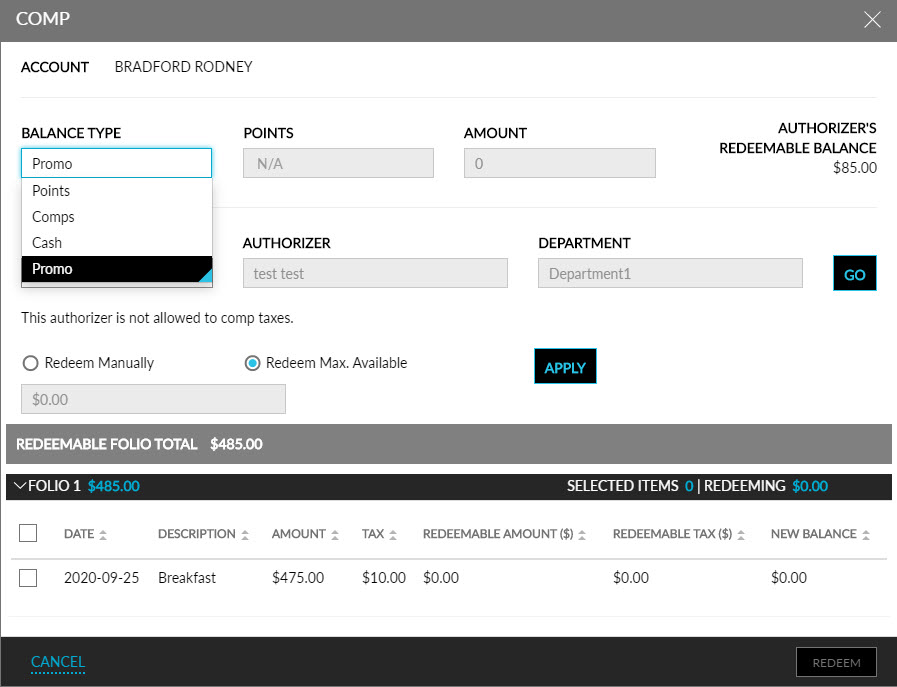
Enter the Authorizer Code.
Click Go. The Authorizer and Department are automatically displayed. The following details are shown in the Comp screen:
|
Field |
Description |
|---|---|
|
Account |
Displays the guest’s name |
|
Balance Type |
Select a balance type from the drop-down list |
|
Points |
Displays the number of points available |
|
Amount |
Displays the amount available for redemption |
|
Redeem Manually |
Select this option to enter the amount to be redeemed manually |
|
Redeem Max. Available |
Select this option to redeem the maximum amount possible |
Click Apply, and the amount will be displayed next to Redeeming Total.
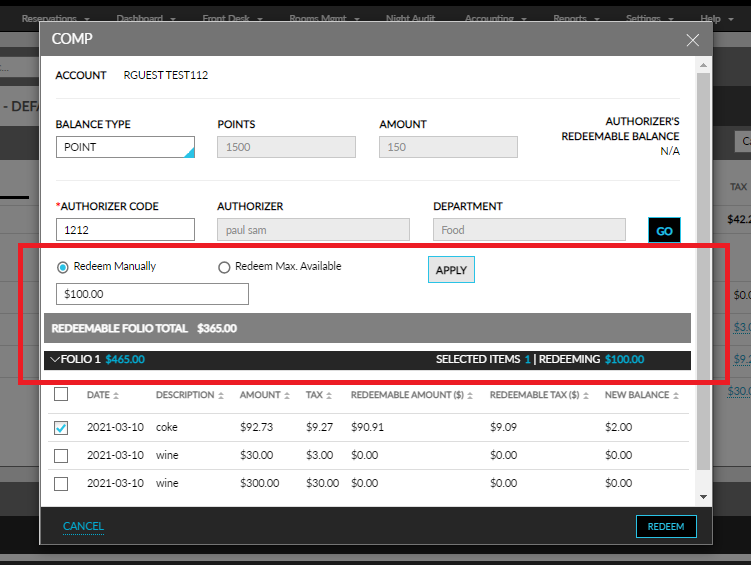
Select the items that need to be redeemed.
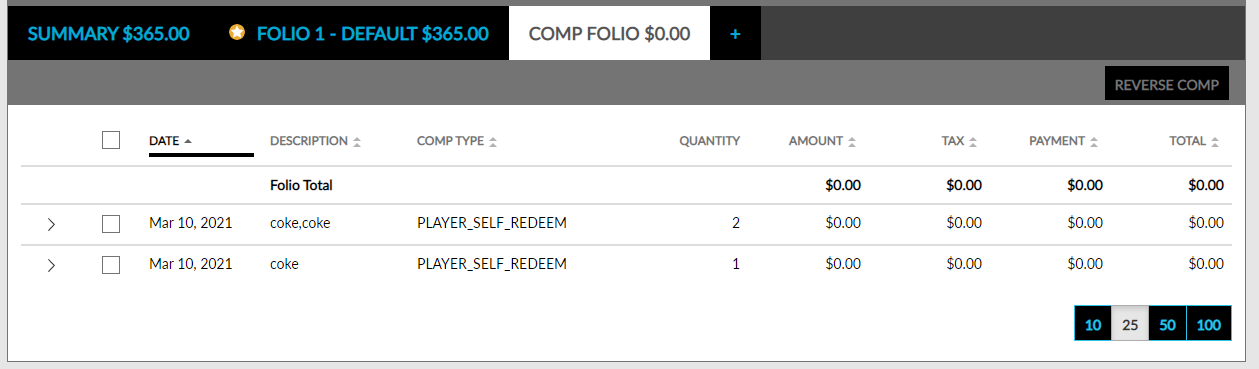
Click Redeem. The items will be redeemed and displayed in the Comp Folio. Users can issue a comp on a charge, regardless of the folio balance.